
Prepared for the stay
Present the cabin, welcome information and itinerary published by the crew.
GlassBridge Experience · Guests
Welcome guests on the room’s Apple TV and cabin displays, with stay information, supported room controls and a direct way to request help from the crew.
Apple TV for guest rooms
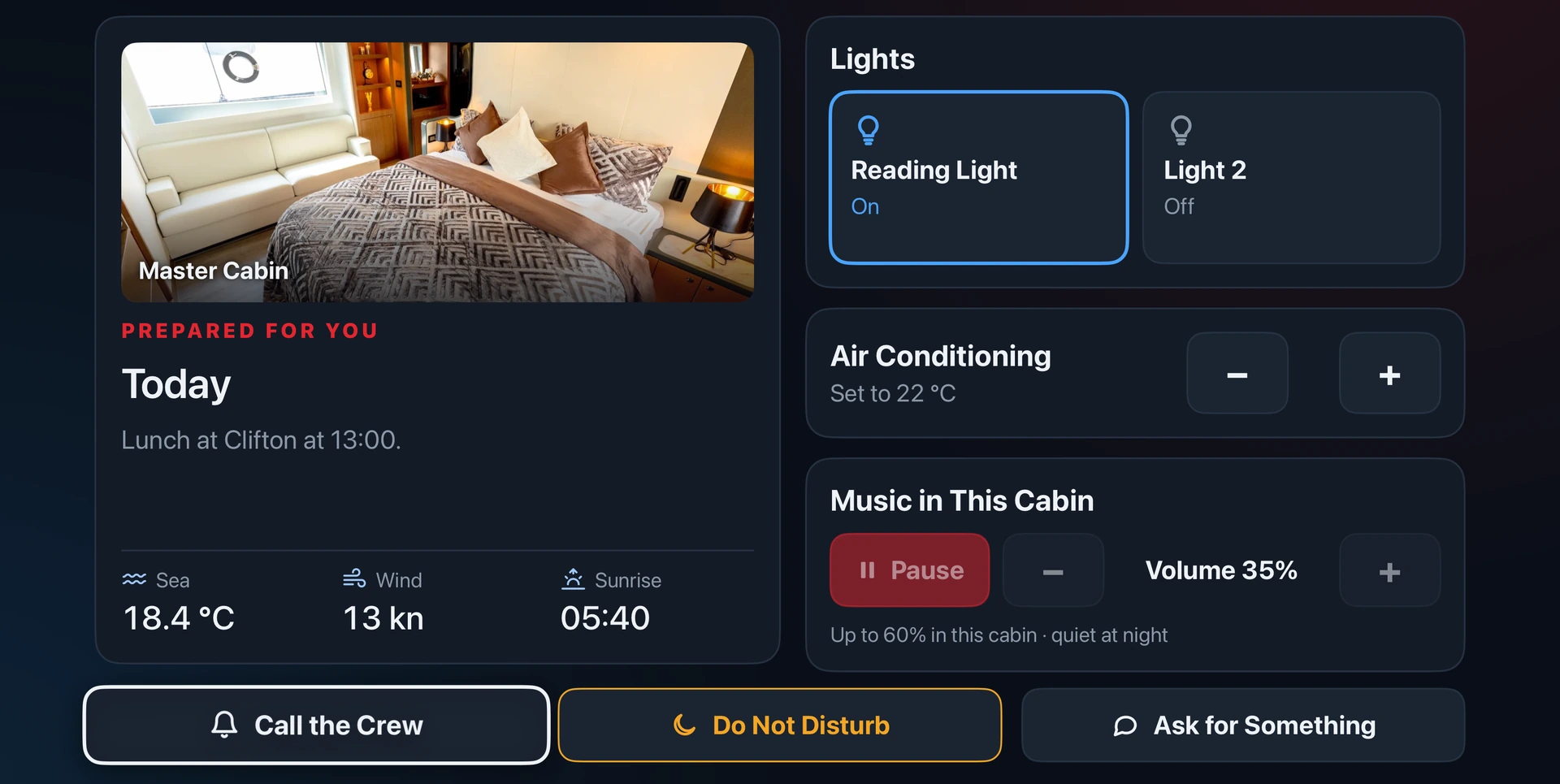
Give each guest room its own GlassBridge experience on Apple TV. Guests use the Apple TV remote to browse the cabin screen and select the services prepared for their stay.
Keep room information, the day’s plans and guest requests together on the TV. Crew prepare the stay content and define the room’s available functions.
Lighting, climate and audio controls follow the installed equipment, commissioned interfaces and guest permissions.
Present the cabin, welcome information and itinerary published by the crew.
Offer permitted lighting, climate and music functions for the guest’s assigned cabin.
Call the crew, set Do Not Disturb or ask for something through the guest screen.
Guest Cabin Display
Use the Guest Cabin Display app on an iPad, Android tablet or wall display.
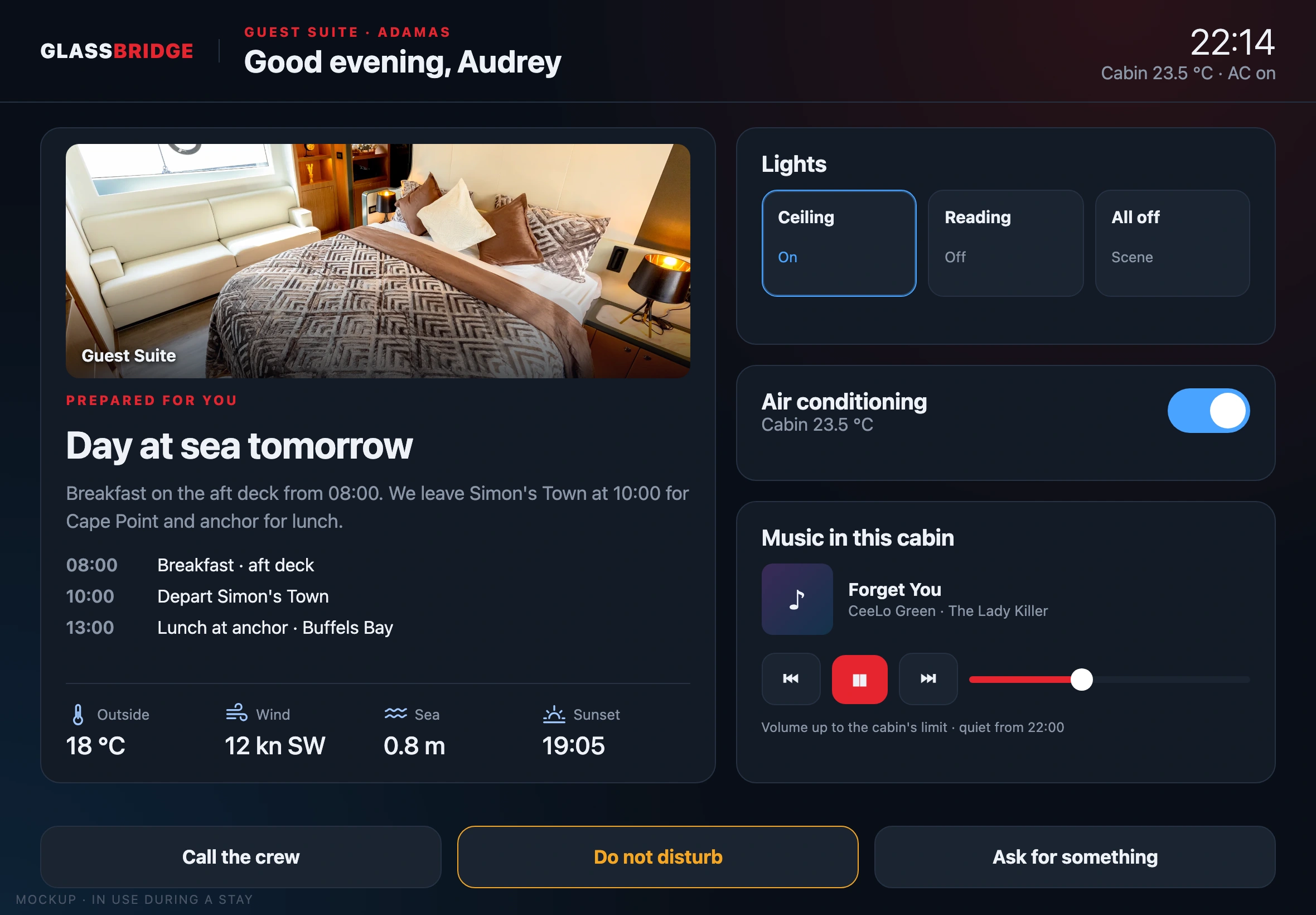
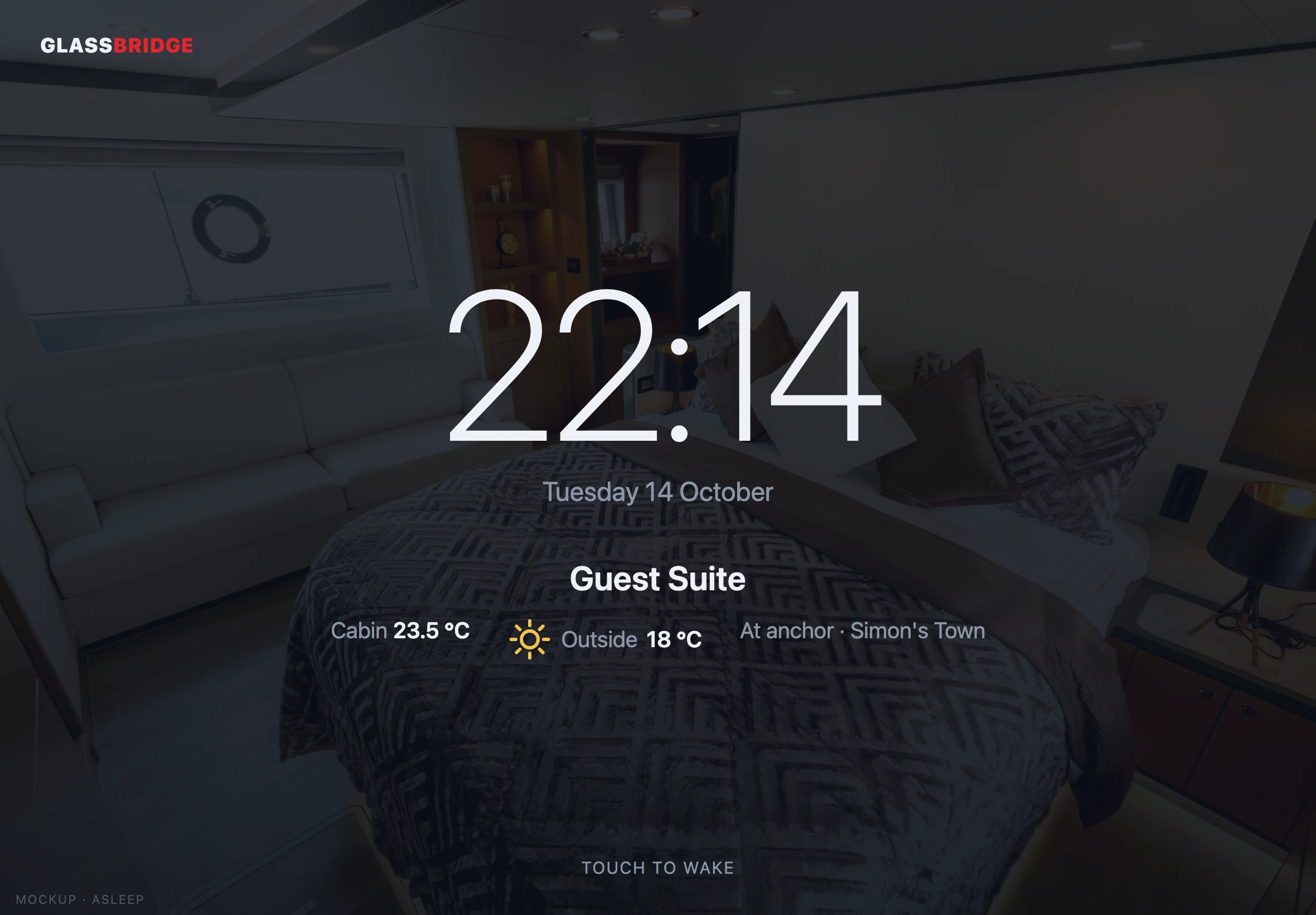
Illustrative cabin screens. Available controls follow the yacht’s equipment and guest permissions.
The assigned room, stay information and the content prepared by the crew. Climate control is included only after the exact HVAC interface is validated.
Access to supported audio functions follows the room and stay permissions.
Publish the itinerary, destination and yacht information prepared for this stay.
Tender, breakfast or housekeeping: examples of requests the crew can define and follow through in the onboard inbox.
Wi-Fi guidance, safety information and marina notes belong to the published stay content.
Room and lighting preferences can inform the installed and tested experience. Lighting settings depend on the installed equipment.
Access behind the experience
Guest access remains stay-scoped, controlled by the invitation’s permissions, role separated and audited. Guest requests do not create control of engineering or safety systems.
Guest Experience Studio
Stays, content, brand presentation and guest-view preview use one onboard product language.

From invitation to crew follow-through
The Studio keeps the invitation, published experience and service requests inside the onboard stay workflow.
Record the guest, start and end dates, assigned rooms, permission template, language and optional PIN. Current stays remain visible for review.
Prepare stay-scoped content, apply the yacht's guest brand and preview the guest view before it is used aboard.
Guest requests enter a crew inbox so onboard service remains part of the yacht's operating workflow.
Guest roles
Guest and guest-child roles remain within the stay; the responsible onboard team prepares and follows the experience.
The invited guest receives the content and permissions prepared for that visit.
Guest Child remains inside the same time-limited, stay-scoped model and the permission template selected for the invitation.
Chief steward and crew workflows connect stay preparation with the guest-request inbox.
Three separate boundaries
GlassBridge keeps each record responsible for one job and does not infer one from another.
Local, time-limited access to the onboard experience prepared for the guest.
A separately maintained record of crew presence and operating assignments.
Review Crew Operations →Invitation-only, authenticated vessel monitoring; it does not inherit an onboard guest stay.
Review GlassBridge Cloud →Arrival, service and departure
A guest opens the invitation for their stay, sees the assigned room and available content, and sends a request through the onboard experience. Controls follow the invitation’s permissions.
Prepare rooms, language, optional PINs and the stay’s presentation in Studio. Preview the guest view before publishing it and use the crew inbox to handle requests.
The invitation is time-limited. Guest access, the manually maintained crew record and a separate Cloud invitation each have their own purpose. See Crew Operations.
Guest Experience planning
Guest Experience scope follows the yacht's rooms, content, brand and approved permission templates.