
Bridge & navigation
Whole-vessel overview, chart and voyage context with clearly attributed sources.
Navigation experience →GlassBridge Core
GlassBridge Core is the onboard monitoring and integration view for power, machinery, navigation data, alarms and vessel records.
GlassBridge Core · Product Film
See how Core brings power, integrations and operating history into one clear local view.
Product interface
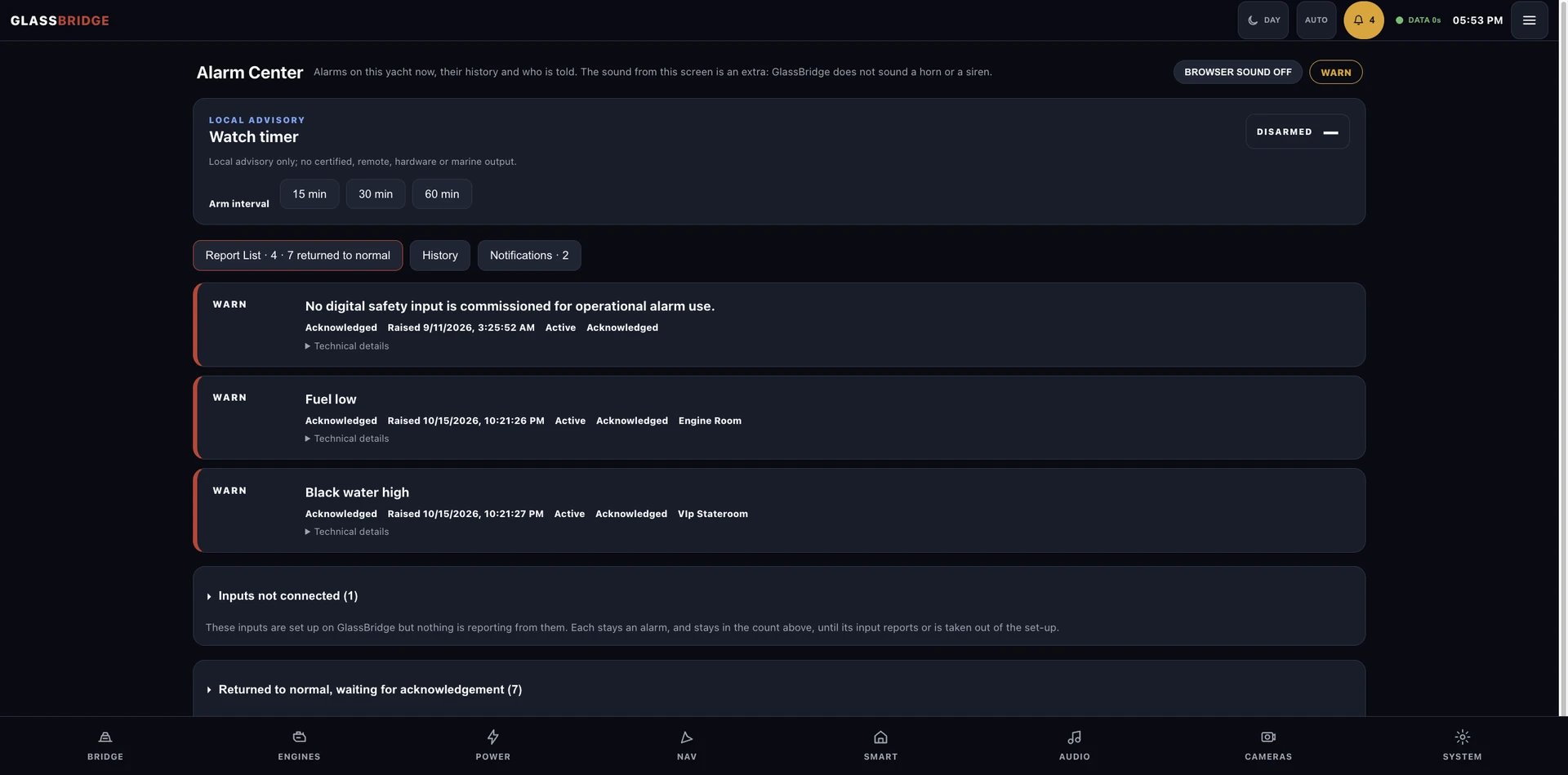
Explore power, engines, history and alarms through the same focused GlassBridge design.
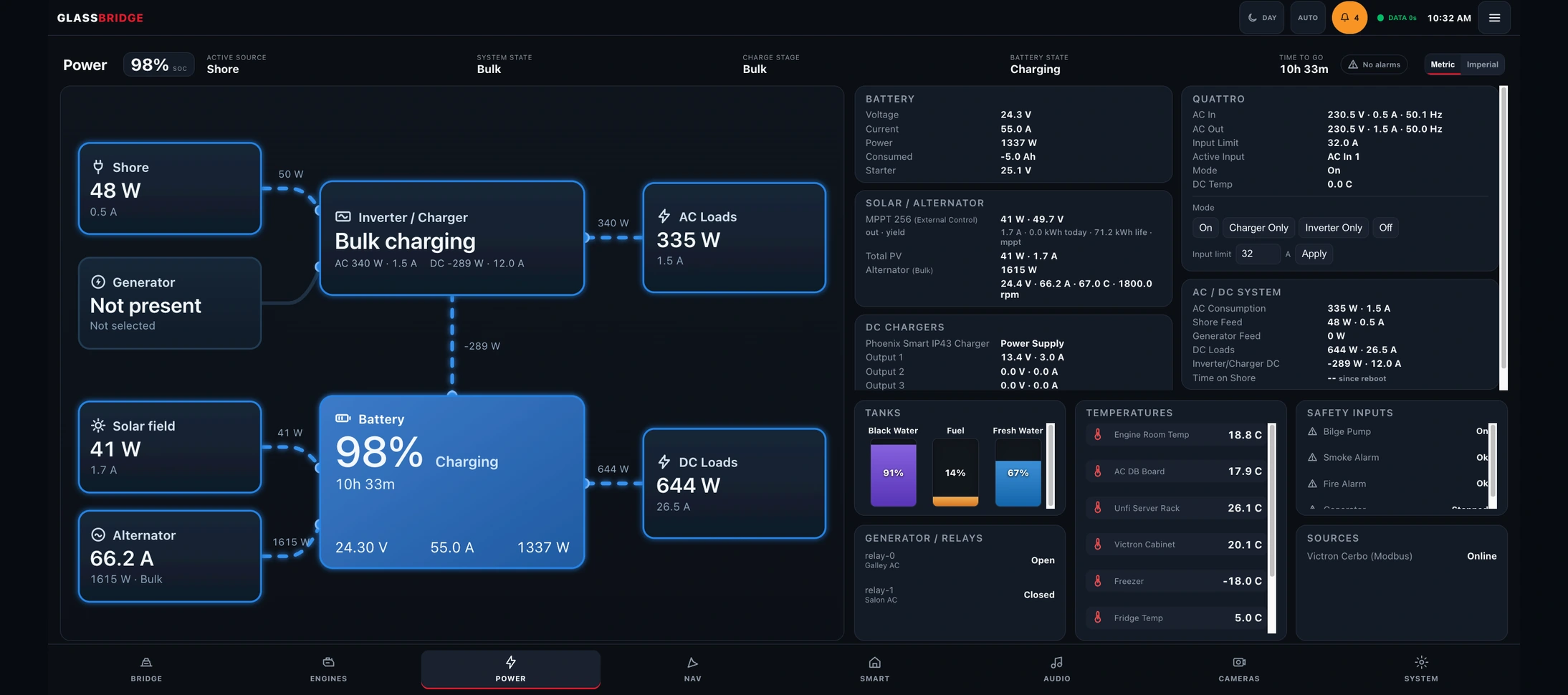
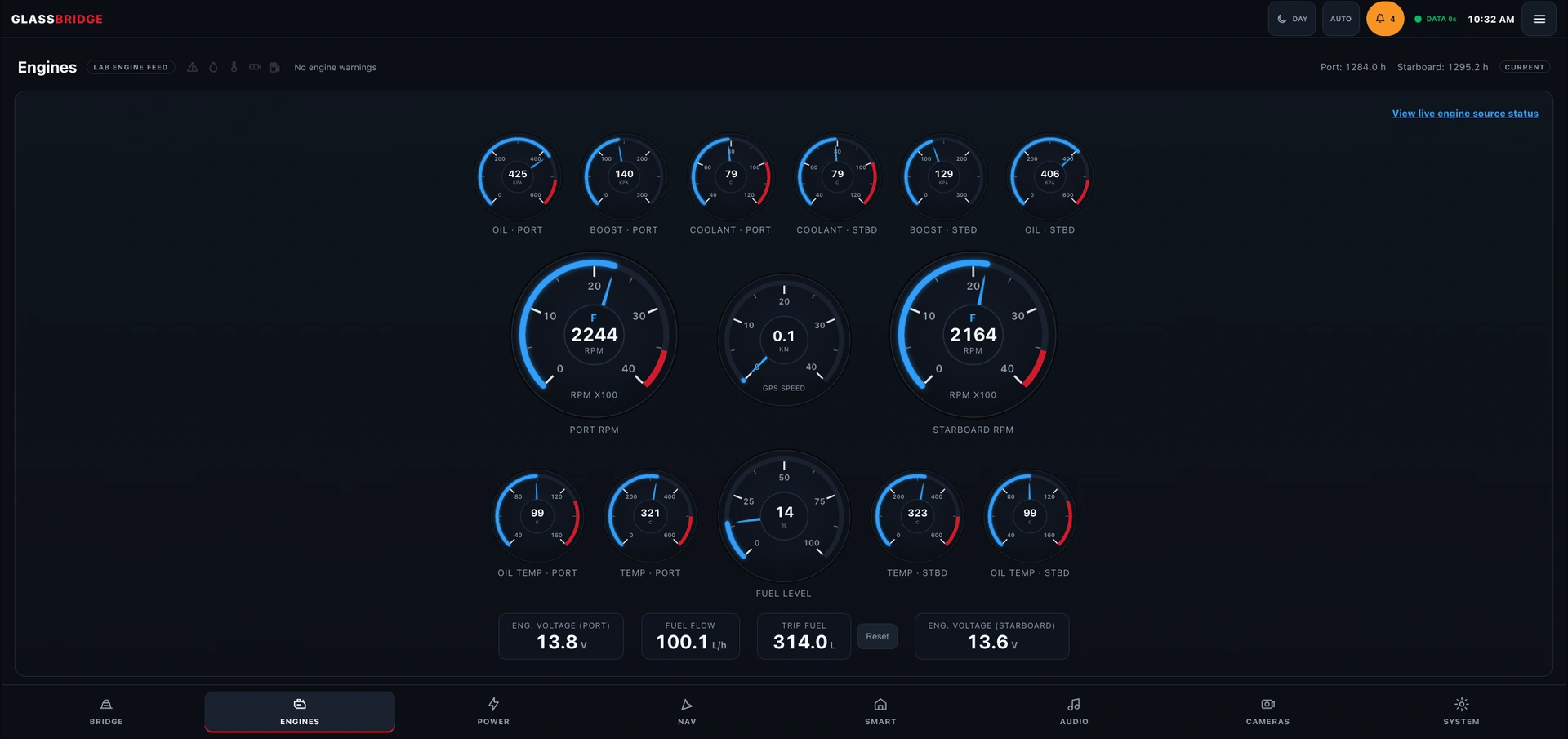
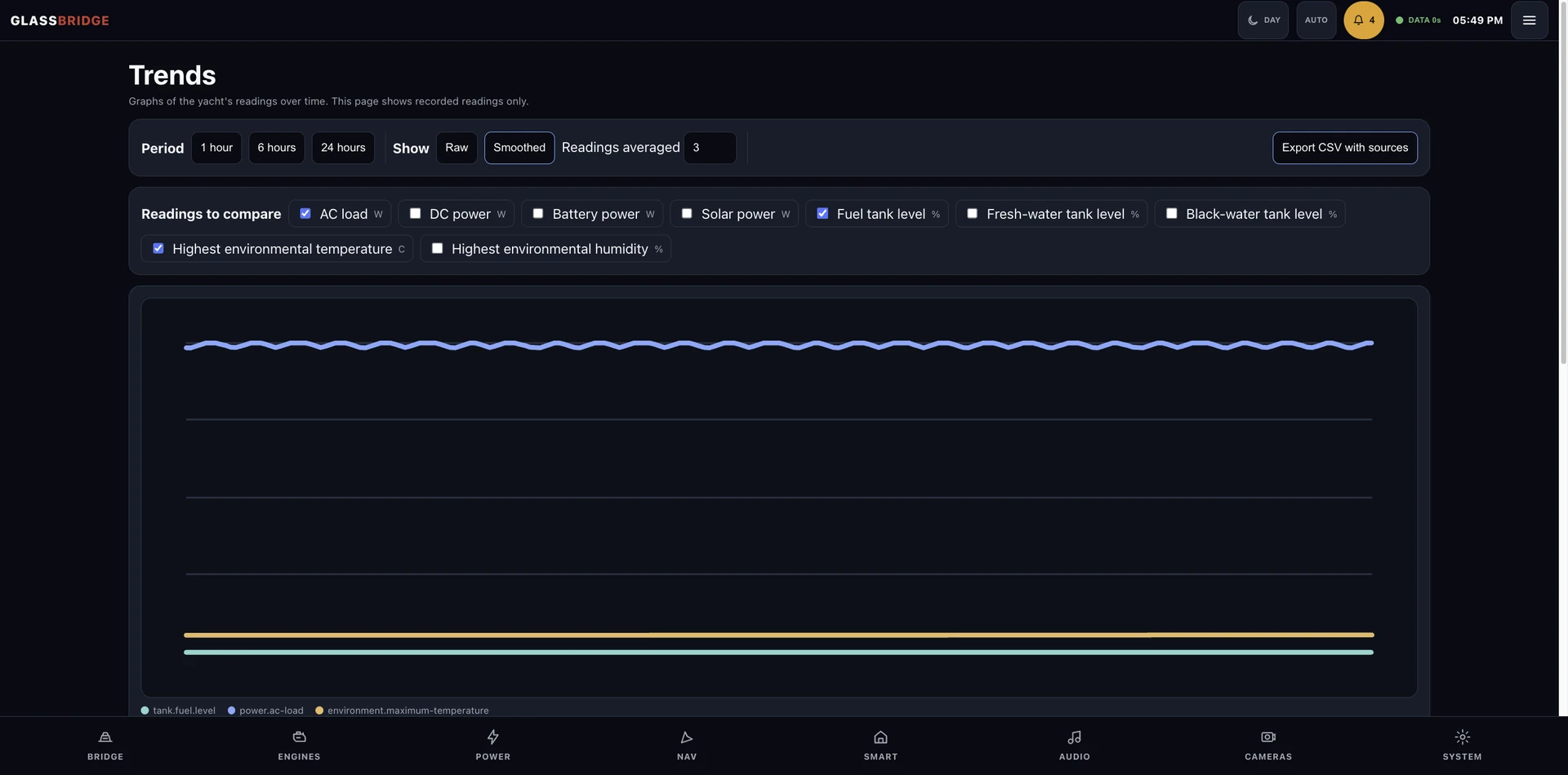
Product surface
GlassBridge keeps the equipment identity, data quality, update age, permissions and change record with the information on screen.
Whole-vessel overview, chart and voyage context with clearly attributed sources.
Navigation experience →Engines, charging, generation, loads, temperatures and tank-source truth in task-specific views.
Vessel systems →Charts of past readings, stored alarm states, a watch timer, and data export that keeps the reading details.
Safety & trust →Planning your installation
Core presents connected engine and electrical data, navigation context, environmental readings, alarms and stored readings. The available measurements follow the yacht's equipment and installed and tested equipment. Review the integration functions.
GlassBridge Core is designed for fixed helm displays, local browsers and the native iPad application. Display locations, access and user roles are agreed for the installation.
Yes. Core includes charts of stored readings and alarm history, keeping equipment and reading details with the record. The product gallery above shows power, engine, history and alarm views.
A guided product tour
Check power, engines and active alarms in Core. Open Propulsion Intelligence for twin-engine comparison and departure readiness.
Review changes in Insight, camera events in Guardian and selected local routines in Smart Yacht.
Prepare guest stays, maintain crew assignments and use GlassBridge Cloud for status you are allowed to view ashore.
Evaluate GlassBridge
Module availability follows the equipment, reviewed adapters and installed and tested configuration.