
Routes and waypoints, both ways
Connect directly over Ethernet and through supported NMEA interfaces. Send routes and waypoints to Garmin and receive them from Garmin. Your chartplotter and steering stay in charge.
Navigation & voyage awareness
GlassBridge presents chart, ownship, course, speed, AIS context and local voyage state in one view that identifies where each reading comes from.
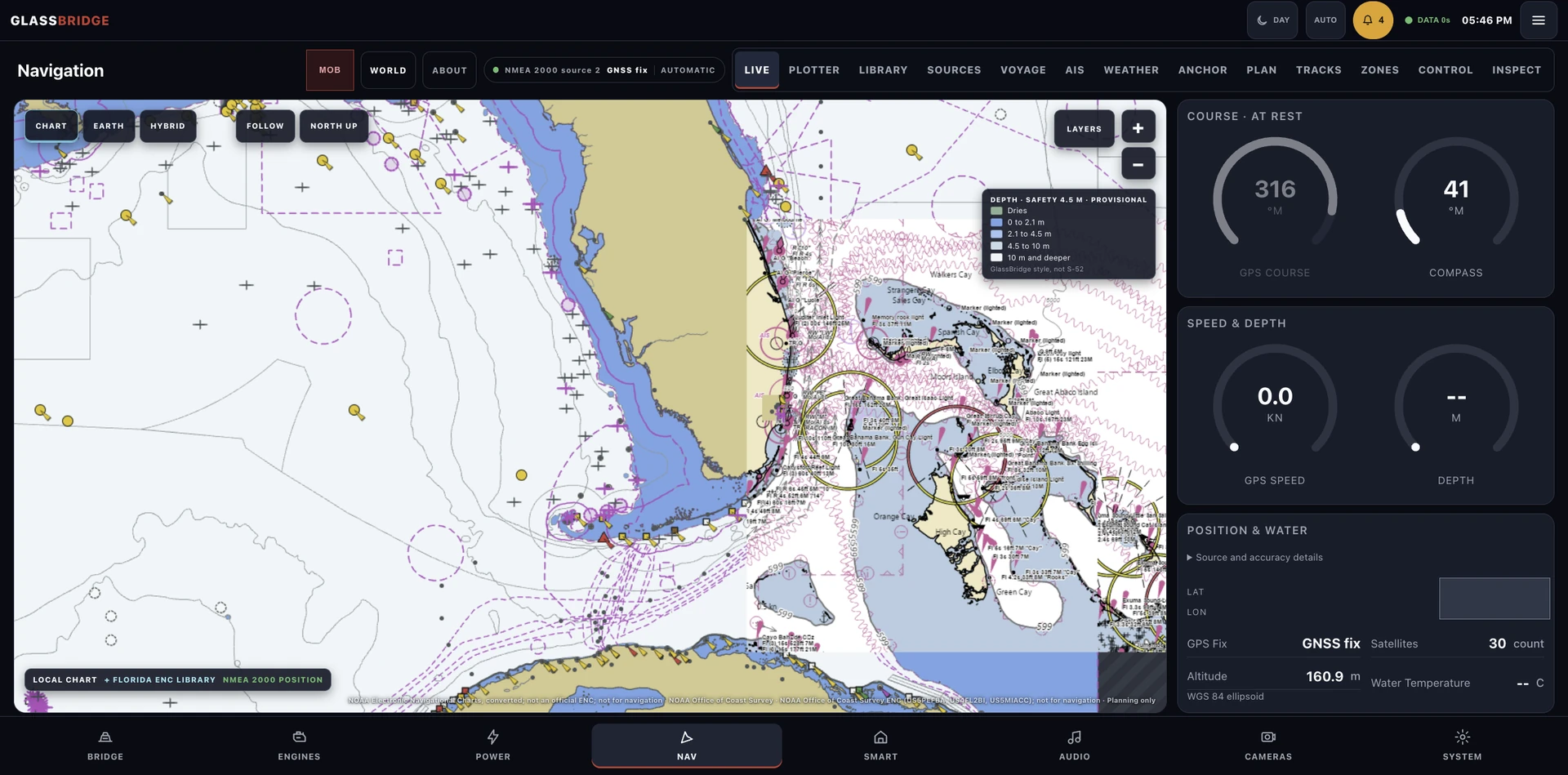
Connect directly over Ethernet and through supported NMEA interfaces. Send routes and waypoints to Garmin and receive them from Garmin. Your chartplotter and steering stay in charge.
NMEA 2000, NMEA 0183 and reviewed navigation readings retain their independent equipment identity.
Draft route planning, waypoint estimates and start, pause, resume, advance and stop state remain local.
Every position, course and speed shows where it came from and when it was last updated, so you can spot data that has dropped out.
Aboard your yacht
This is a supported operating example, not a suggested passage. GlassBridge works alongside primary marine navigation equipment; your chartplotter, steering and vessel procedures stay in charge.
Check NMEA compatibility · Explore Core · Understand estimated range with reserve
Your installation
Tell us about the yacht, its equipment and the experience you want aboard. We can define the next step around your installation.
Discuss your yacht