
Smart switching
Circuit status and on/off controls you allow for reviewed lighting, pumps and auxiliary equipment.
Native GlassBridge Smart Yacht
Bring selected lighting, audio and auxiliary equipment into repeatable onboard routines. Review what a scene will do, activate it with the right permissions and see the equipment’s confirmed response.
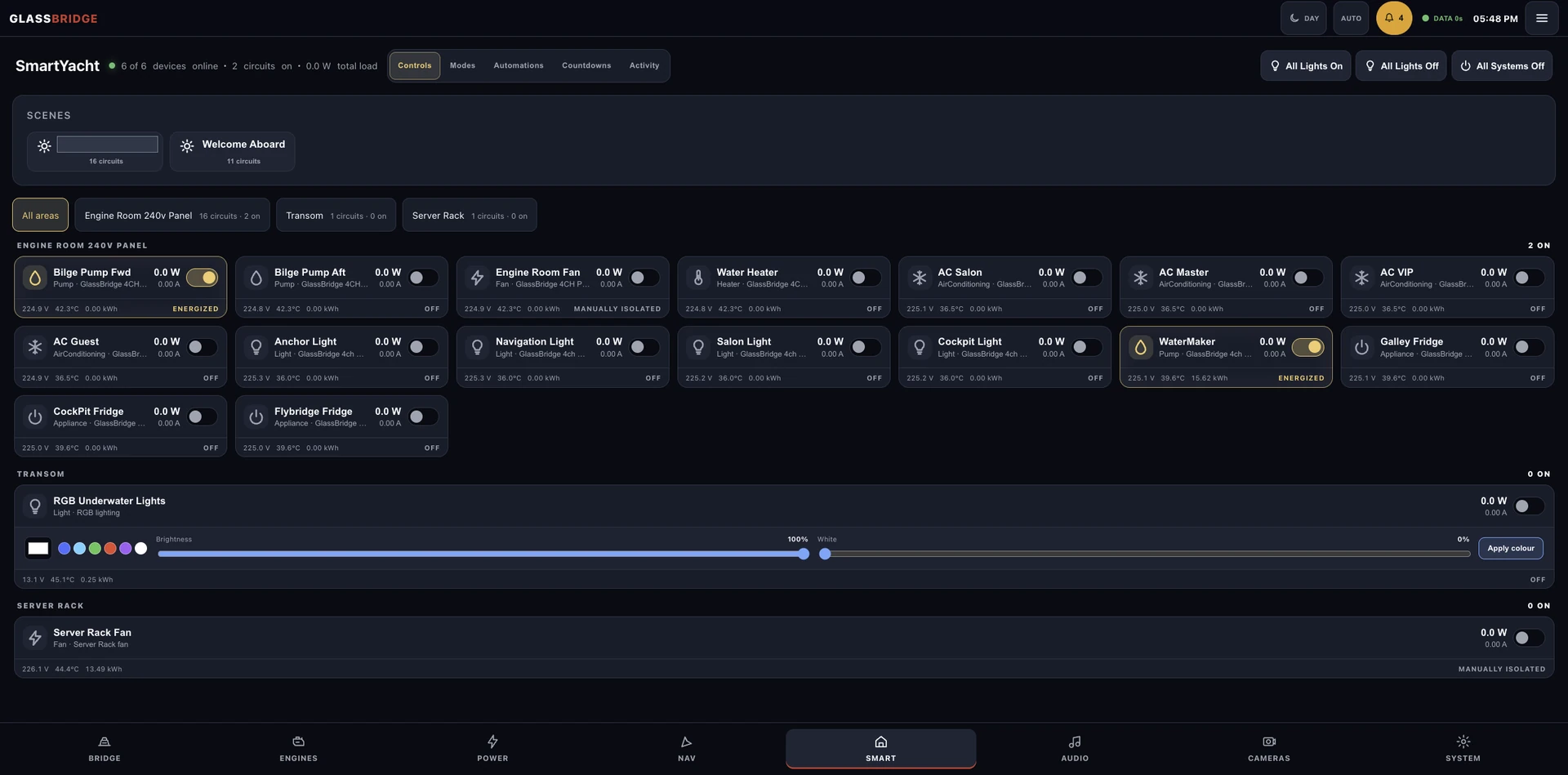
Configured onboard controls
Review the Welcome Aboard scene alongside your yacht’s circuit states.
Scene actions follow the yacht’s equipment, permissions and commissioned controls.
Verified live · confirmed 29 September 2026
Coordinate supported onboard equipment actions through local scenes, with permissions and recorded outcomes. Each yacht’s equipment defines the available actions.
Choose the connected equipment, the conditions to check and the actions your installation supports.
A definition can be edited and saved without turning it on or changing connected equipment.
Enable and start decisions record the operator, time and permissions, which are checked again before delayed actions.
GlassBridge records success when the equipment reports the requested target state.
Circuit status and on/off controls you allow for reviewed lighting, pumps and auxiliary equipment.
Reviewed Sonos and Fusion playback, source, volume, grouping and zone controls.
Audio integration →Only allowed actions for the connected equipment can run, with the result recorded locally.
A configurable scene
A configurable example can combine selected salon lighting with a supported Sonos listening zone. Choose the equipment and settings available on the yacht, then review the requested actions before activation.
When an authorised operator runs the scene, Activity keeps the request and the equipment’s confirmed result together. A saved scene remains inactive until it is enabled or run; an unconfirmed result is not presented as success.
Configure the scene around your yacht’s equipment and preferences. Explore the audio experience.
Your installation
Tell us about the yacht, its equipment and the experience you want aboard. We can define the next step around your installation.
Discuss your yacht