
Navigation in focus.
A central chart, flanked by port and starboard engine instruments, gives the panorama its clear visual centre.
INTRODUCING GLASSHORIZON
GlassHorizon brings navigation, engine information and onboard systems together in one connected helm experience.
Watch the video ↘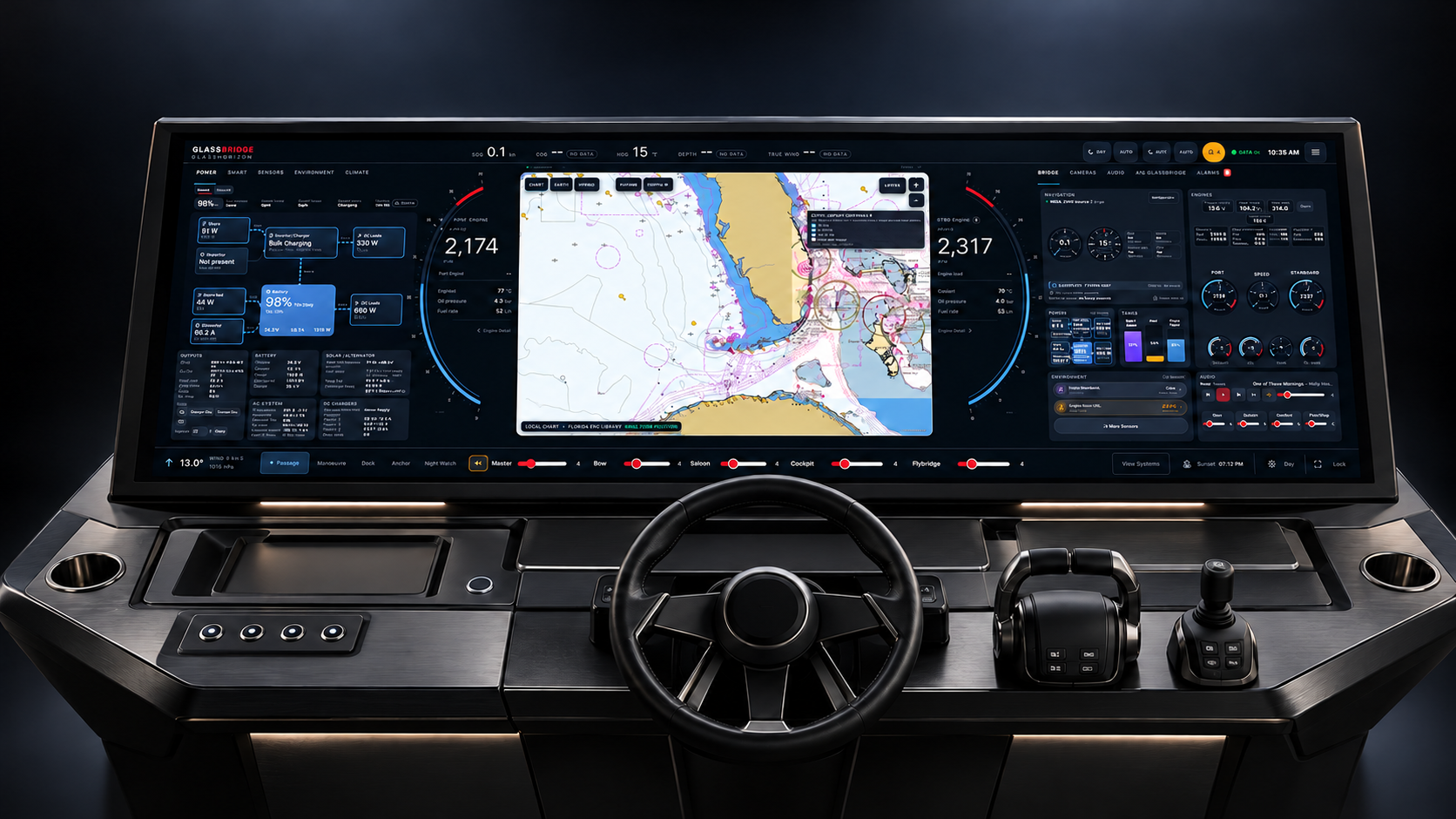
01 / THE EXPERIENCE
Keep the chart and engine instruments in the centre of your attention. Explore power, sensors and onboard systems alongside them.
A central chart, flanked by port and starboard engine instruments, gives the panorama its clear visual centre.
Power, climate, sensors and audio have their own views within the same wide display.
Move between the overview and individual system panels. See the interaction in the video below.
02 / SEE GLASSHORIZON
1 minute 53 seconds.
The GlassHorizon interface in motion.
The video opens with electrical power at left, a central chart and twin-engine instruments, and a bridge overview at right. It moves through passage information, sensors, climate, audio and alarms, then shows operating modes and the screen lock.
03 / EXPLORE THE PANELS
Explore the GlassHorizon interface.
Select a system to take a closer look.
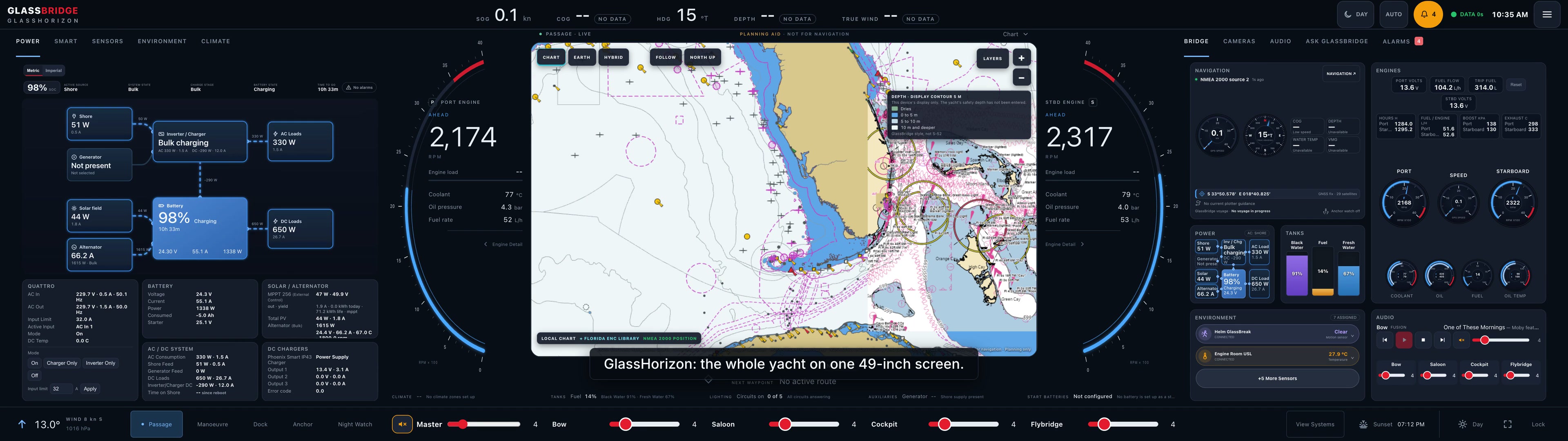
See charging, battery state and vessel loads together, with the electrical flow presented in one dedicated panel.
See it in action ↗FOR YACHT BUILDERS, OWNERS & INSTALLERS
Tell us about your yacht, selected systems and installation plans.
Let’s discuss a GlassHorizon configuration for your project.